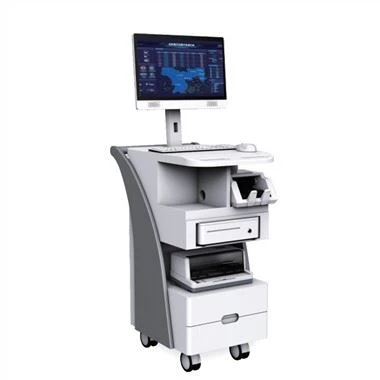
Touch query one machine is one of the most convenient, simple, natural and practical human-computer interaction equipment. Don't wait for someone to repair it. If the touch query one machine has a black screen, you can easily fix it by yourself!
Máquina de consulta de toque
1. Check the power socket.
If the power socket is not plugged in, there may be a reason for the sudden black screen of the touch inquiry machine. Because this may be caused by the power socket being loose or accidentally tripping over and causing the black screen, you should first check whether the power socket is plugged in as soon as possible.
2, check whether the power is on.
When the touch screen suddenly blacks out, whether it is powered on is also an aspect that requires special attention. Because when a black screen appears, it may be caused by a power failure, so we should check whether the power supply is tripped due to weather, thunder or wire failure.
3. Check whether the touch screen is damaged.
If after excluding the above two situations, if the touch query all-in-one machine still has a black screen, then we need to check the touch screen. During the inspection, we can mainly check whether the touch screen has burned out. If it is caused by this reason, then the touch screen should be replaced.
4. Check whether there is any looseness inside the computer host.
Excluding the above three cases, the sudden black screen of the touch query all-in-one machine may be caused by the looseness of the computer host. When checking, you need to disassemble the shell of the touch query all-in-one, and then mainly check whether the CPU and all the wires inside are loose. If there is any looseness, it is best to re-insert them all again, and then restart the machine.