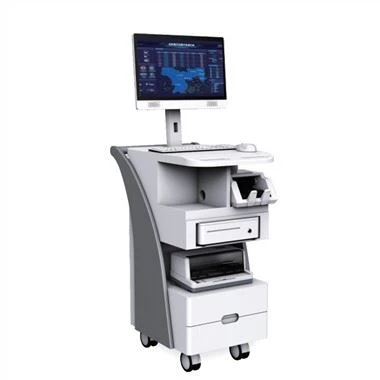
With the improvement of social living standards, the products are also in a variety of flower styles. You can often see touch all-in-ones when you go to large shopping malls. When you buy and eat, you will go to the touch all-in-one to find out where you need it. Touch all-in-one is in your life. It's already very common. How much do we know about the common sense of touch all-in-one?
1. The touch screen surface is a touch display, which is the front of the product; the glass surface is non-touch, which is the back of the product.
2. It is not allowed to fold in any part of the lead. When assembling the line, it must be inserted horizontally. It cannot be folded at the root of the stiffener.
3. When picking and placing the product, you must operate on a single chip, handle with care, avoid product collision and scratch the product surface.
4. Do not stack touch screens, use pallets.
5. Finally, be careful not to wipe the surface of the touch screen film with corrosive organic solvents. Such as industrial alcohol.
6. The touch screen part is made of glass, and the glass corners are relatively sharp. The assembly requires gloves/finger cots.
7. The touch screen is made of fragile glass. Do not apply strong impact to the touch screen during assembly.
8. Avoid directly picking up the touch screen with the lead wire, and avoid pulling the lead wire.
9. The part of the lead wire reinforcement plate cannot be bent.
10. If it is not cleaned frequently, the touch screen will be covered with a lot of dust, and the touch performance will be weakened. When cleaning the screen surface, wipe it with a soft cloth (deerskin) dipped in alcohol or glass cleaner. For dust between the front cover of the touch display and the gap between the touch screen, use a thin cloth strip on a business card or bank card to clean it carefully.
11. Do not install two or more touch drivers. Installing two or more touch drivers may cause conflicts and result in malfunction.
12. The switch sequence of the touch all-in-one is fixed. The sequence of switching on is the display, audio, and host. When the power is off, the power sequence is opposite to the power on. It is worthwhile to use the hard disk to generate many temporary files on the hard disk. Normal, otherwise it will cause hard disk error.
13. Daily maintenance of the USB cable The power supply and touch report of the infrared touch screen are input by the USB cable, which is very important for the touch all-in-one machine. It can be said that it is the touch lifeline. If the USB cable is often unplugged, the socket will be damaged and loosened. The touch is completely invalid, so don't unplug the USB cable frequently.