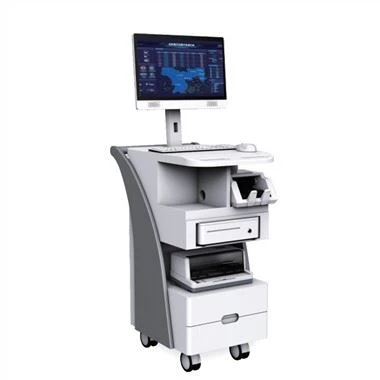
Como lidar com a falha de tela preta do display de cristal líquido industrial
A black screen appears in the daily work of industrial LCD screens, what should I do, don't worry, today I will summarize several reasons for the black screen caused by industrial LCD screen failures:
1. Check the power supply of the host and whether it is working properly. First, check whether the power supply indicator on the panel of the mainframe chassis is on and whether the power supply fan rotates to determine whether the mainframe system is supplied with power. Secondly, use a multimeter to check whether the external voltage meets the requirements. Excessively high or low voltage may cause automatic shutdown protection of the host power supply over-voltage or under-voltage circuit. In addition, it is important to check the quality of the power switch and reset button and the correctness of their connection with the motherboard, because the power switch and reset button on many low-quality chassis often damage after being used several times, causing the entire Nothing is displayed on the machine's black screen. If the power supply is damaged, replace the power supply to solve it.
2. Check whether the LCD power supply is connected properly. When the LCD screen is powered on, there will be a "squeak" sound, and the power indicator of the LCD screen will be on. When the user moves to the LCD screen, there will be a "sizzle" sound, and the hair on the back of the hand will stand up.
3. Verifique se a linha de sinal da tela LCD industrial está em bom contato com a placa de exibição. Se houver muita sujeira na interface, agulhas quebradas e outros danos causarão mau contato e uma tela preta no visor.
4. Verifique se a placa de vídeo está em bom contato com a placa-mãe. Se a tela LCD estiver preta e o alto-falante no host emitir um bipe longo e dois curtos, o display LCD industrial indica que há um problema com a conexão entre a placa de vídeo e a placa-mãe, ou há um problema com a conexão entre a placa de exibição e a exibição, você pode se concentrar em verificar se o contato do slot está bom. Se houver algum material estranho no slot, troque a placa gráfica por um slot da placa-mãe para testar e determinar se há um problema com o slot.
5. Verifique se a placa de vídeo pode funcionar normalmente. Verifique se o chip da placa gráfica pode estar queimado, os vestígios de rachaduras e se a ventoinha da placa gráfica está funcionando e se o desempenho da dissipação de calor é bom. Substitua por uma placa gráfica em funcionamento para descartar se a placa gráfica está danificada.
Se você não conseguir descobrir a causa sozinho, entre em contato com o fabricante industrial da tela LCD para reparo a tempo.