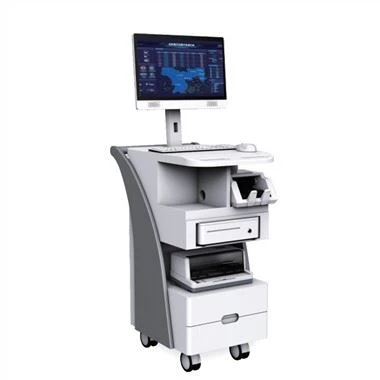
Os monitores de tela plana industriais, como o nome sugere, são monitores usados na indústria. Muitos displays industriais são telas sensíveis ao toque. Eles são simples e rápidos de operar e têm maior eficiência. Eles também são muito úteis para o aprimoramento da automação industrial. No entanto, os monitores de tela plana industriais encontram problemas durante o trabalho. Como resolver o problema de falha de toque? O que fazer em uma emergência? As soluções a seguir esperam ajudá-lo.
Industrial touch display, as the name implies, is a touchable display used in industry. The display is mainly operated by touch. What should I do when the touch function fails and the operation does not respond? What conditions can cause such a failure? Try it I hope these methods can help you.
1. When the industrial flat panel display is tested, everything is normal, but after the host is connected, why can't the computer operate?
Troubleshooting: It may be that the touch screen control card receives the operation signal before the host starts to load the touch screen driver. Just power off and restart the computer. It is also possible that the version of the touch screen driver is too low, and a new version of the driver needs to be installed.
2. When the touch screen device is started for the first time after installing the driver, the touch screen does not respond.
Troubleshooting: First confirm whether the touch screen wiring is connected correctly, if not, reconnect all wiring after shutting down. Then check whether there is any conflict between the device and the serial port resource in the host, check each hardware device one by one and adjust them.
3. The industrial flat panel display cannot work, and there is no response when touching any part.
Troubleshooting: The first step is to check whether the wiring ports are loose;
Step 2: Check whether there is a conflict between the serial port and the interrupt number. If there is a conflict, adjust the resources to avoid the conflict;
Step 3: Check whether there are cracks on the surface of the touch screen of the industrial flat panel display. If there are cracks, replace the touch screen in time.
Step 4: Check whether the indicator light on the control box is working properly. When it is normal, the indicator light is green and flashing. Also pay attention to check whether there is dirt on the surface of the touch screen, if there is, remove it with a soft cloth. If the above parts are normal, the touch screen can be checked by replacement method, first replace the control box, then replace the touch screen, and finally replace the host.
4. If the touch screen device touches the industrial display screen with a finger, it will take a long time to operate accordingly.
Troubleshooting: This may be moving water droplets on the touch screen, just wipe off the water droplets with a dry soft cloth; it may also be that the performance of the host is too poor. If the clock frequency is too low, this is the case, and the host should be replaced .
5. After touching the industrial flat panel display screen with a finger, there is no response in some parts of the touch screen.
Troubleshooting: It is possible that some parts of the surface of the touch screen are covered by foreign objects. You can wipe it clean with a dry soft cloth. It is also possible that part of the touch screen is scraped off by a hard object. This damage cannot be repaired, and the touch screen can only be replaced.
The above content is an emergency solution for industrial flat panel displays encountering touch failures. There are mainly five methods. Users can solve them according to the actual situation. When using them, they should also pay attention to the operation method. In addition, they should also pay attention to regular maintenance. Ensure the normal service life of the machine.