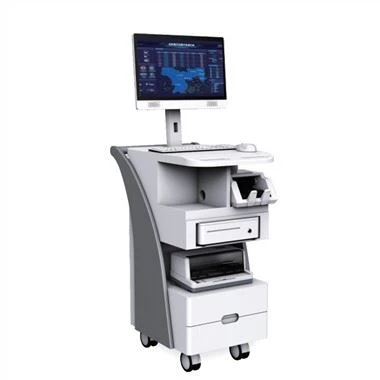
What are the general protection and maintenance methods of industrial computer? The situation of the industrial computer should be stable. If the machine finds vibration when reading and writing to the disk or hard disk, the drive will be severely worn out or the hard disk will be damaged. If it is to be arranged against a wall, there should be at least a gap between the walls to ensure good heat dissipation, otherwise it will lead to accelerated aging of components.
What are the general protection and maintenance methods of industrial computer?
1. Various boards (graphics card, sound card, network card, etc.)
The board card should pay attention to dustproof, the pins should be intact, the board card should not be twisted when inserted vertically, and the continuous parts on the external jack of the board card should not be plugged in live.
two chassis
The chassis includes an industrial control power supply, a passive backplane, and an electric fan. Industrial control power supply: It is not interrupted for N hours, so it has better performance. It is important to pay attention to reducing the inflow of dust to prevent dust from affecting the operation of the fan. Prepare for an instant power outage. Instantaneous power outages and then a sudden power cycle will often generate a very high voltage in an instant. You might as well "burn" the computer, and the voltage fluctuations will also damage the computer. Therefore, the power supply should be integrated. In addition, it should also be anti-static and anti-lightning.
3. The main board (card) industrial computer main board is specially designed for long-term operation in high and low temperature conditions. What should be paid attention to in its application is: do not plug in live, plugging in live will lead to damage to the jack , does not work, stress will even damage the motherboard. The jumper on the motherboard cannot be jumped arbitrarily. Check the declaration or user manual, otherwise it will cause damage due to the difference in voltage configuration of different types of motherboards.
The dust on the motherboard should be cleaned on time. Do not use alcohol or water. Use a dry brush, vacuum cleaner or leather tiger to suck up or blow off the dust. Keep the memory slots on the motherboard clean, without broken or crooked feet. The gold fingers inserted into the passive base plate under the main board should be clean, and should be firmly inserted on the base plate and inserted in place.
Four, hard disk, optical drive, floppy drive
1. Hard disk: Do not destroy the hard disk casually to avoid vibration and extrusion. Although do not turn off the power of the computer when the hard disk is running, such a sudden shutdown will cause the hard disk track to be damaged and data to be lost. Do not shake the jumper assembly on the hard drive casually. When handling, it is necessary to use anti-static plastic bags or use anti-shock materials such as sponges to keep good, and often check for viruses to prevent corrosion. When the operating system has energy-saving functions, it should be used reasonably to extend the service life of the hard disk.
2. Optical drive: Do not open the door of the optical drive casually during use, or use damaged or pirated discs to prevent dust from entering the optical drive. The optical drive should not be vibrated, twisted, or beaten during use. The data line should continue to circulate to ensure that the optical drive reads the disk smoothly.
3. Floppy drive: Do not put bad or poisonous disks into the floppy drive, and do not use inferior and moldy floppy disks to prevent scratching the magnetic head. When the floppy drive is performing read and write operations on the disk, do not force the disk to be taken out, in order to prevent damage to the magnetic head or offset the magnetic head, resulting in the inability to read and write normally.
Click the customer service dialog box to consult product introductions such as industrial tablets and industrial touch monitors.