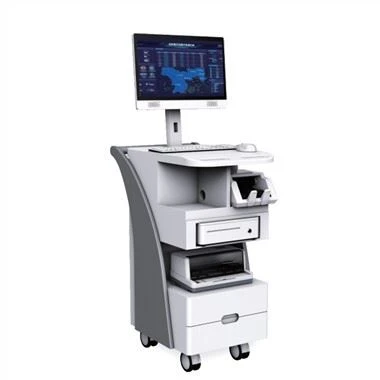
An industrial computer is a computer used in the industrial industry. The industrial environment is diverse and complex. Although the equipment has good stability, failure is normal. When a non-professional computer is faced with an industrial computer failure, how to check and repair to determine the fault?
1. Comparative inspection method
Running two or more identical or similar computers, based on the different performance of the normal computer and the faulty computer when performing the same operation, the location of the fault can be preliminarily judged.
Second, the system minimization method
A more serious fault is that there is no display or alarm information after the machine is turned on, and the cause of the fault cannot be judged by the method described above. At this time, the minimum system method can be used for diagnosis, that is, only the CPU, memory, graphics card, and motherboard are installed. If it does not work normally, use the replacement method to find the faulty component among the four key components. If it can work normally, then connect the hard disk and so on.
Three, percussion inspection method
Gently tap the case shell with your fingers, it is possible to solve the problem caused by poor contact or weak welding. For example: tap the south and north bridge chips of the motherboard with your fingers or a plastic rod to determine whether it is a BGA solder joint; then check further and determine the location of the fault point based on this.
Four, plug replacement method
After initially determining the location of the fault, the suspected component or cable can be re-plugged to eliminate the cause of looseness or poor contact. For example, after removing the board, wipe the golden finger with an eraser, and then reinsert it; re-plug various cables, etc. If the fault cannot be eliminated after plugging and unplugging, you can replace the faulty board with a board of the same function model to determine whether the board itself is damaged or there is a problem with the slot of the motherboard, and then replace the board according to the situation.
Five, exchange method
Exchange the plug-in boards of the same model, the plug-ins with the same bus mode and the same function, or the chips of the same model, and determine the location based on the change of the failure phenomenon. This method is mostly used in easy-to-plug maintenance environments, such as memory white check errors, the same memory chip or memory bar can be exchanged to judge the fault. In short, if you can find the same type of microcomputer components or external equipment, the exchange method can quickly determine whether it is the quality problem of the component itself. The exchange method can also be used in the following situations: if there is no microcomputer component or external device of the same model, but there is a microcomputer host of the same type, the microcomputer component or external device can be plugged into the host of the same model to determine whether it is normal.
The above five methods can be used for the troubleshooting of the industrial computer. When the staff encounters the industrial computer failure, they should treat it correctly and deal with it correctly. Do not disassemble the computer without authorization, so as not to cause a greater failure. You can contact if you can't find the cause. Professionals or return to the factory for repair.